Your Daily Islamic Companion

PureDeen

A companion app for Muslims to check product ingredients, follow prayer times, read the Quran, and find Qibla direction from your phone.

What PureDeen offers

Halal barcode scanner

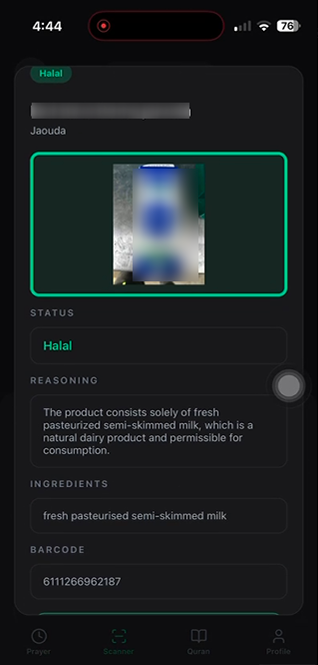
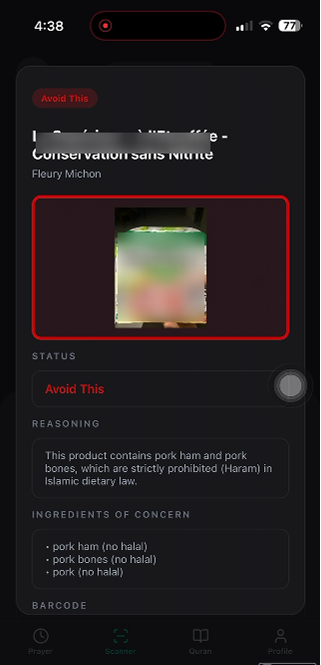
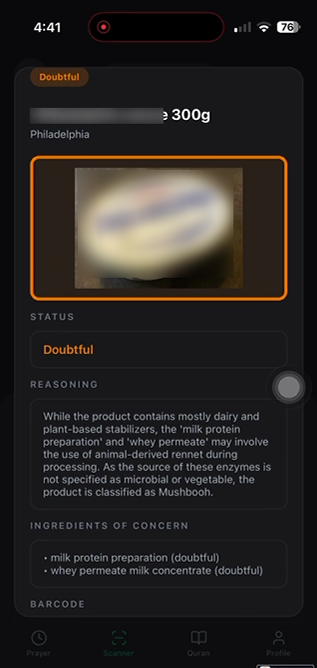
Scan product barcodes to review ingredients and see Halal, Avoid This, or Doubtful guidance.

Prayer times

View accurate prayer times based on your location with optional reminders.

Quran reader

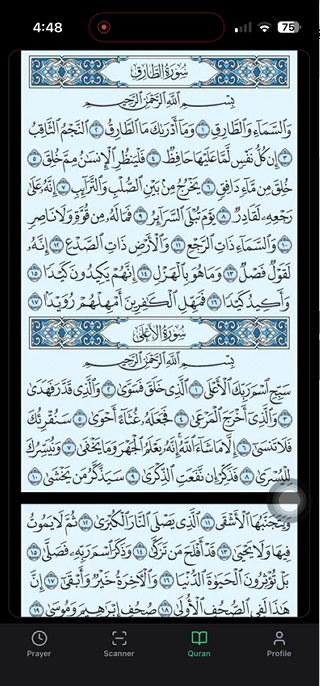
Read a bundled Quran mushaf and continue where you left off on your device.

Qibla compass

Find the direction of the Qibla using your device compass and location.

How to use PureDeen

Each tab helps with a different part of your daily routine. Follow these steps to get the most from the app.

Getting started
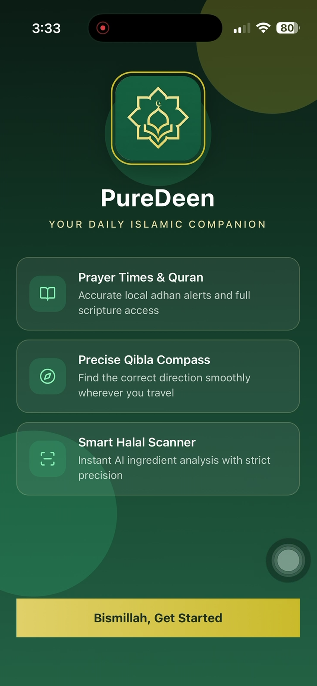
Welcome to PureDeen

  1. Install PureDeen on your phone.
  2. Tap Bismillah, Get Started on the welcome screen.
  3. Sign in or create an account to access all features.
PureDeen welcome screen with app features overview

Tab 1 · Prayer

Prayer times & Qibla

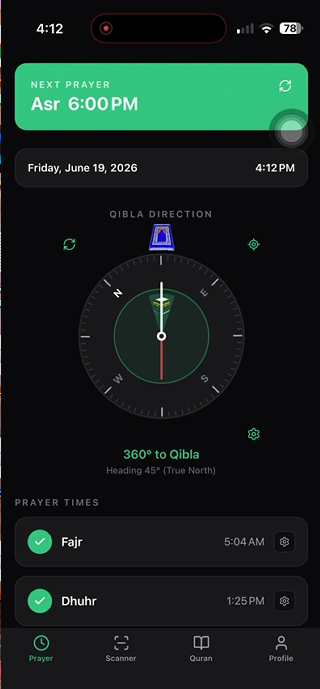
  1. Open the Prayer tab (clock icon).
  2. Allow location access so times match your city.
  3. See the next prayer and use the Qibla compass to find direction.
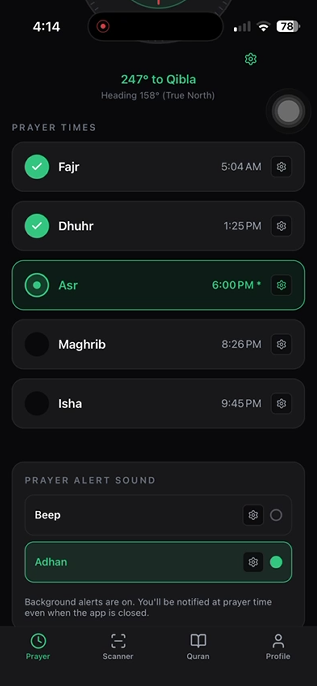
  4. Scroll down for today's full schedule.
  5. Set per-prayer alerts and choose Adhan or beep notification sounds.

Tab 2 · Scanner

Halal product scanner

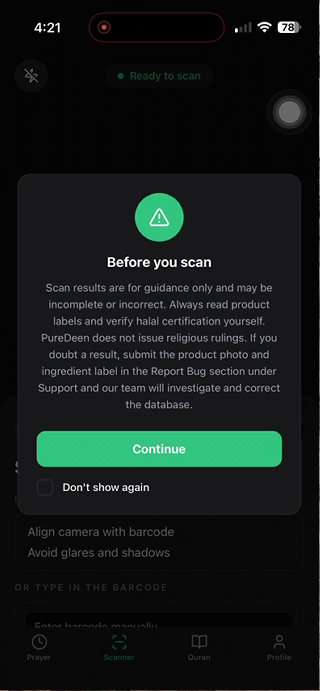
  1. Open the Scanner tab and read the guidance disclaimer.
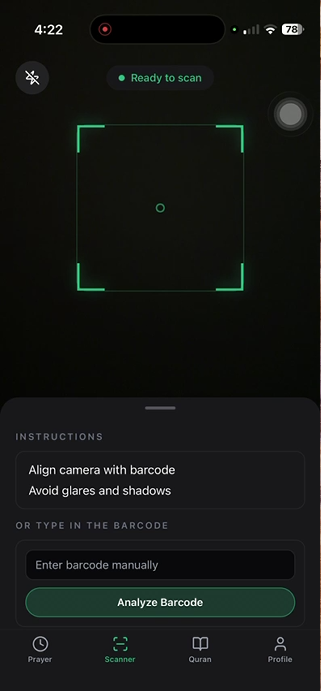
  2. Point your camera at a product barcode, or enter it manually.
  3. Review the status, reasoning, and ingredient details for each product.

Tab 3 · Quran

Quran reader & audio

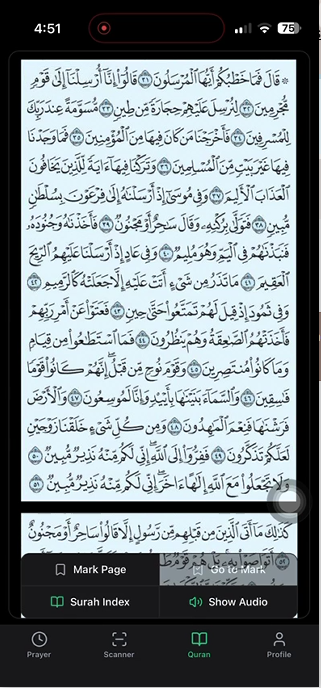
  1. Open the Quran tab to read the bundled mushaf.
  2. Your reading place is saved automatically when you leave.
  3. Tap the center of the screen to open the toolbar.
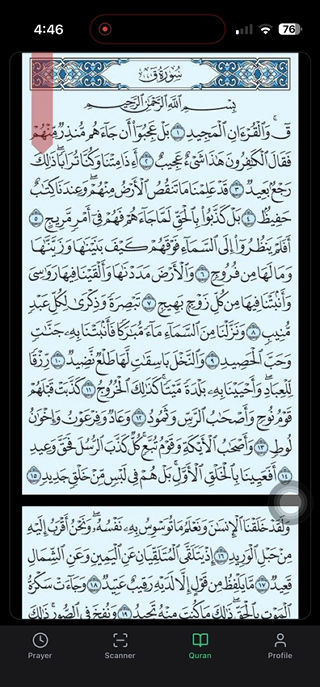
  4. Page mark (ribbon): tap Mark Page to bookmark the current page — a red ribbon appears on the left edge. Tap Go to Mark anytime to jump back to that page.
    • To move the ribbon to another page, go to the new page and hold Mark Page for 5 seconds.
    • To remove the ribbon, hold Mark Page for 10 seconds.
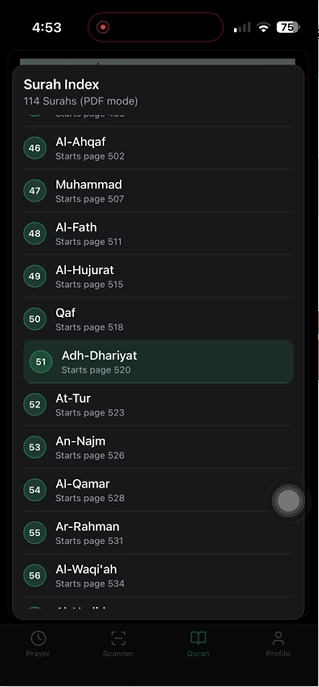
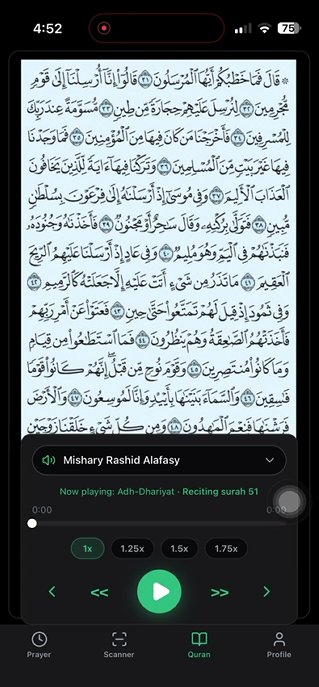
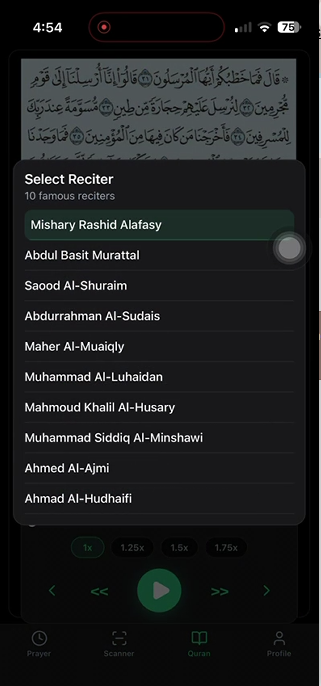
  5. Jump to any surah from the index, then listen with the built-in player.
  6. Choose a reciter and adjust playback speed (1x to 1.75x).

Tab 4 · Profile

Account & settings

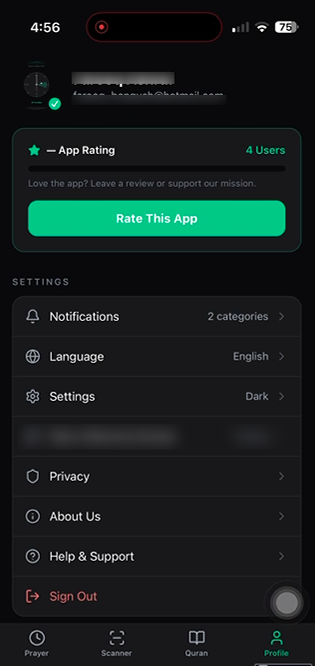
  1. Open the Profile tab to manage your account.
  2. Adjust notifications, language, theme, and privacy settings.
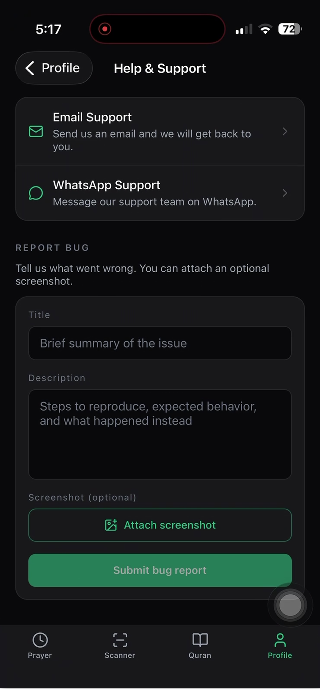
  3. Visit Help & Support for FAQ and bug reports.
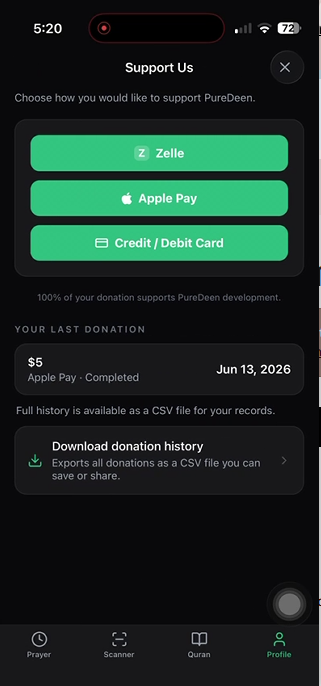
  4. Optionally support development through Support Us donations.
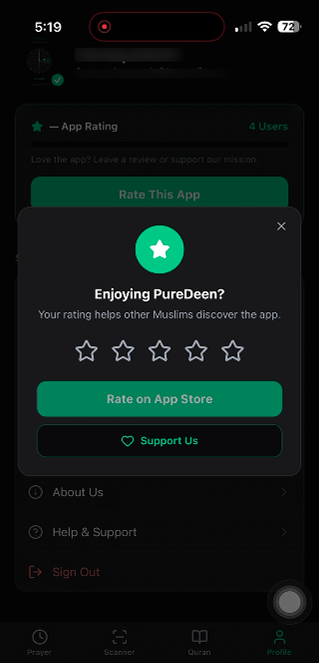
  5. Rate the app to help other Muslims discover PureDeen.

Optional support payments

PureDeen is free to use. Users may optionally support app development through voluntary donations in the app via card, Apple Pay, or Zelle. These payments are not required to use the app and no physical goods are sold.

Customer support

For help, feedback, or account questions, contact us by email. We respond as soon as possible.

Email: halal.scanner.app1@gmail.com

Business name: PureDeen · Mobile application · United States